Free Master Study Mode
A master study with the instruments beside the painting. Choose a museum painting or open your own picture, work through a notan thumbnail, a block-in, values and colour against a clock, measure with plumb and level lines, then photograph your copy to see where its shapes drift and where its values differ. Exports PNG. Free, with no sign-up, and your picture never leaves your device.
1 h 45 min of work in 4 stages. Every museum picture is kept on this site, with its credit and a link to its museum page. Nothing is uploaded.
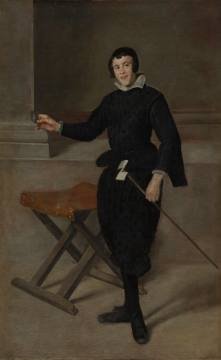
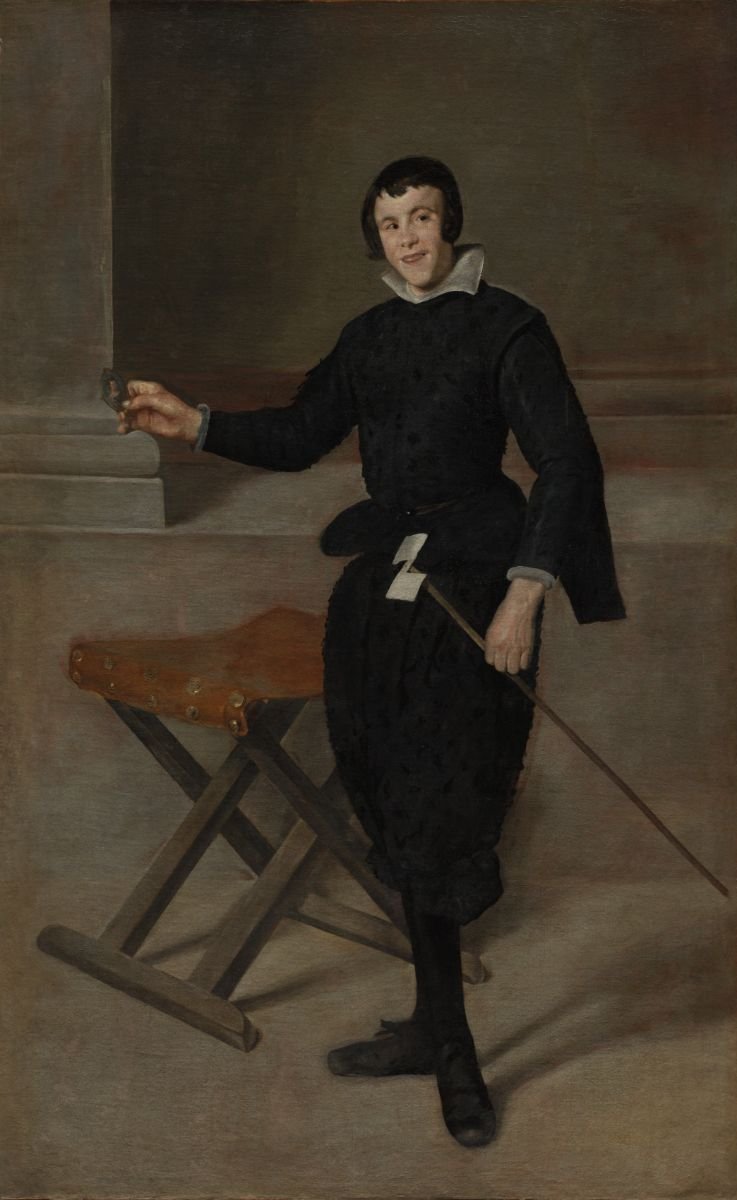
Diego Velázquez (Spanish, 1599–1660), Portrait of the Jester Calabazas, c. 1631–32. The Cleveland Museum of Art, Leonard C. Hanna Jr. Fund. CC0. View at the museum
Marked CC0 by the museum’s own open-access service on 2026-10-02.
A photo of any painting you have the right to study. It is opened on this device and is not uploaded.
Photograph your copy square-on. It is lined up with the picture on this device and measured for drift and for value. The photo is not uploaded.
Museum paintings, kept here.Twenty-five paintings from El Greco to Monet, each marked CC0 by its museum and shown with its credit.
A plan in four stages.Notan thumbnail, block-in, values, colour: each with minutes you set and a lens that comes on by itself.
Instruments on the picture.A plumb line, a level line, and a unit to measure any other length and angle against.
A measured comparison.Photograph your copy and read where its shapes drift and where it is lighter or darker.
- Free
- No sign-up
- Runs in your browser: your image never leaves your device
What is a master study?
A master study is a copy of a work by an accomplished artist, made to learn how it was built: its design in light and dark, its drawing, its values, its colour and its edges. The copy is practice, not a picture of your own, and is shown with the name of the artist it is after.
How to use the Master Study Mode
The tool takes 6 steps, all on your device.
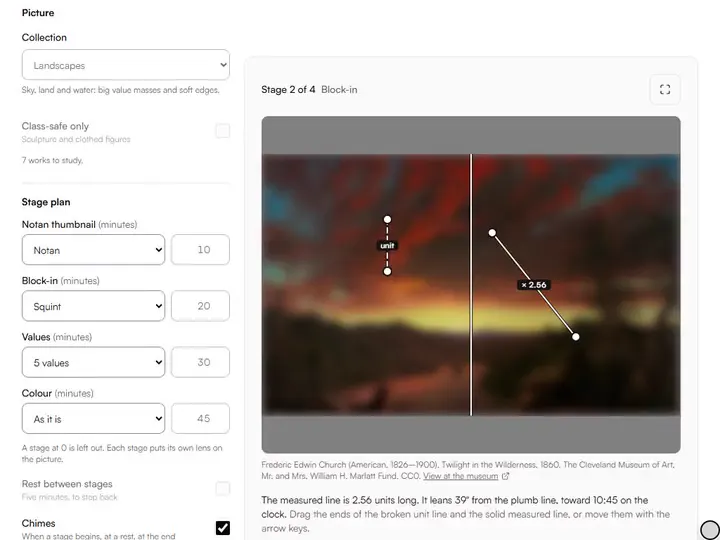
Choose a Collection and press a small picture, or choose Open your own picture.
Under Stage plan, set the minutes and the lens for each stage. A stage at 0 is left out.
Turn on Plumb line, Level line or Unit and measure to check angles and lengths on the picture.
Choose Start study. The lens changes with the stage. Pause, or choose Next stage, at any time.
Choose Photo of my copy at the end of a stage and read what it says about shapes and values.
Choose Save the comparison to keep the picture, your copy and the map of differences as one image.
What the Master Study Mode does
Master Study Mode gives a copy a method: a master's picture or your own, its colours measured, and time that holds at the easel.
A copy with a method
Among the drawing practice tools, this is the long one: a single picture, studied in order.
Your own picture too
Open a photo of any painting you want to study. It is read on your device and is not uploaded.
Drawings and sculpture
The figure study set is one of the collections: master drawings, anatomy, drapery, hands and sculpture.
The picture's colours
Its six main colours, dark to light, with the share of the picture each one covers.
Time that holds
The clock is read off the real time, so a tab left in the background comes back to the right second.
For the easel
Full screen, a screen that stays awake, a chime at each stage, and an entry in your practice log if you ask.
How it compares with other master study tools
Each was used in a browser on 2 October 2026. Only what was seen is stated.
| Feature | This tool | Value Studies Coach | LearnArt |
|---|---|---|---|
| A credit and a museum page under each picture | Yes | Not seen | Maker and title; no museum page seen |
| A clock | Four stages, each with its own time | One time for each picture | Not seen |
| Lenses on the picture | Greyscale, squint, 3 or 5 values, notan, flip | 2, 3, 5 or 7 tones | Not seen |
| Plumb line, level line and a unit to measure with | Yes | A proportion grid (not tried) | Not seen |
| A written guide to each work | No | Not seen | Steps, colours and materials |
| Measures a photo of your copy | Yes | Not seen | Not seen |
| Other servers the page contacted | None | 9 | 8 |
Value Studies Coach also shows how much of the picture each tone covers, and its page offers your Pinterest boards as a source. LearnArt's page says it holds more than 37,000 artworks.
For anyone learning from the masters
Painting students, self-taught painters and teachers learn from the masters by copying with it.
Painting students
Run a master copy as a set task: a fixed time for each stage and a measured check at the end.
Self-taught painters
Find out whether the trouble is in the drawing or in the values before you blame the colour.
Teachers
Put one painting on the projector with Class-safe only on, and let the stages run the lesson.
A master study in four stages
A copy goes wrong when everything is attempted at once. The plan here takes one question at a time. The notan thumbnail asks only where the light shapes end and the dark shapes begin. The block-in puts the big shapes down at full size. The values stage sets the darkest dark and the lightest light, then the tones between. Colour comes last, on top of a drawing and a value plan.
Every time is yours to change, a stage set to 0 is left out, and a rest between stages is one switch. The stage names and their order are this tool's own plan, a common way of working and not a rule.
The paintings, and where they come from
The twenty-five paintings are from the Cleveland Museum of Art's Open Access collection: seven portraits, seven figure paintings, seven landscapes and four still lifes. Each was checked against the museum's own service on the day the set was built, and is here only because that service marked it CC0, which lets anyone use the image without fees or restriction according to the museum's Open Access page.
The sixth collection is the study set of the classical figure reference sessions. For any other work, save the image from a museum's open-access page and choose Open your own picture.
Lenses that follow the stage
Notan leaves two tones, which is what a thumbnail copies. Squint blurs the picture until the detail goes and the big shapes stay, for the block-in. Five values pushes every tone to the nearest of five steps. You can change a stage's lens or flip the picture left for right.
Measuring on the picture
Unit and measure puts two lines on the picture: lay the broken one along something you trust and the solid one along anything else. The page reads the white line in units of the yellow, with its lean in degrees and as a clock position. To measure a photo of your own drawing the same way, use the plumb line and angle tool.
The compare step: drift and value
The photo of your copy is lined up with the picture on your device, and two things are measured. Drift is how far the shapes of your copy sit from the same shapes in the picture, as a share of the longer side. Value is how much lighter or darker your copy is, on a scale of 1 to 10. A third picture shows it: blue where your copy is darker, orange where it is lighter.
Glare or a shadow across the paper shows up as a value difference, so photograph the copy in even light. One report is that of the drawing accuracy checker. The other is that of the value checker.
What it leaves out
It does not search museums from this page. It gives no written analysis of a painting: the stage tasks are the same for every work. The palette is colours for a screen, not a list of paints. It does not judge edges, brushwork or likeness.
Further reading
The page below goes further into the ideas the Master Study Mode works with, and opens on the site named beside it.
- Drawing and painting lessons on Artistic Masterclass (ArtisticMasterclass.com)
Tips from a working artist
From Sujith Puthran, artist and founder: what I actually do at the easel.
I photograph the copy at the end of the block-in, not at the end of the painting. A head that sits too low costs a minute to move at that point and an afternoon later.
I keep the notan thumbnail no bigger than my palm. If the picture does not read at that size in two tones, more detail will not rescue it.
Why your picture stays on your device
The Master Study is a program your browser downloads and runs by itself. When you choose a picture, the browser reads it from your files and does the work on your own phone or computer; no copy is sent to this site or to anyone else, and what you export is saved straight from the browser. That is why there is nothing to upload and nothing to sign up for. The privacy page says what the site does collect.
Questions about the Master Study Mode
The 5 questions below cover what a master copy is and which pictures are free to copy, then line-up failures and privacy.
Master copies
What is a master copy painting?
A master copy painting is a painted copy of a work by an earlier artist, done as a study, to learn the decisions behind its design, values and colour.
Is master copy art the same as a master study?
Yes, master copy art is the same as a master study: the two names are used for the same practice. Some artists keep master copy for a close, full copy and master study for a looser one.
May I use these pictures to make copies of master paintings?
Yes, you may use these pictures to make copies of master paintings. The museum's page for each of the twenty-five paintings says: "You can copy, modify, and distribute this work, all without asking permission." When you show a copy, say whose work it is after.
Measuring and privacy
Why does it say my photo could not be lined up?
It says your photo could not be lined up when the photo was too far from the picture to match: taken at an angle, cropped, or of a copy with little on it yet. Take it square-on, filling the frame.
Does the Master Study Mode upload anything?
No, the Master Study Mode does not upload anything.
- The master set, the museum's own words: openaccess-api.clevelandart.org/api/artworks/{id} · checked 2026-10-02
- The master set, the museum's own words: clevelandart.org/open-access · checked 2026-10-02
- The master set, the museum's own words: clevelandart.org/art/{accession · checked 2026-10-02
A museum painting, a plan of four stages, the instruments to measure with, and a comparison that says where the copy went.
Free · No sign-up · Runs in your browser